ENT Practice eFax | Digital Fax for Referrals and Records
ENT practice eFax is a digital fax service that sends and receives faxes through the internet instead of a paper fax machine, with incoming faxes arriving in a shared inbox or a practice system as digital files. ENT practices still receive many referrals, records, imaging reports and hearing test results by fax, so a clear digital process can save time and keep documents from getting lost on a printer tray.
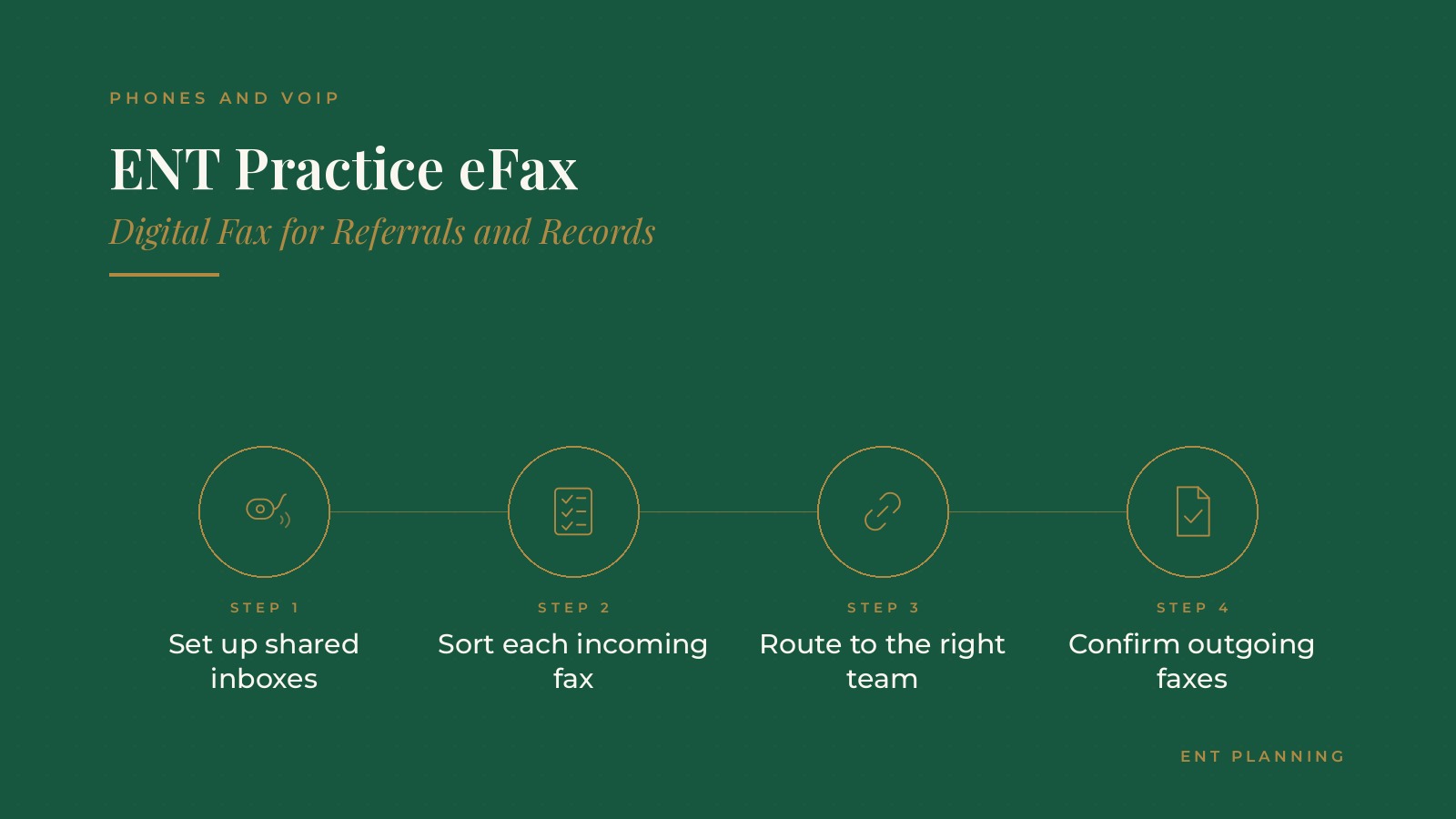
In short, ENT practice eFax tends to work best when a practice sets up shared inboxes by team, sorts each incoming fax the same day, routes documents to the right person, uses a simple routine for outgoing faxes and confirms delivery, with an IT or VoIP professional handling setup and security settings.
This resource from ENT Planning explains how digital fax works, inbox setup, sorting and routing, outgoing faxes, staff roles, upkeep and the questions practices often bring to a VoIP professional.
Key takeaways
- Set up shared inboxes by team.
- Sort incoming faxes the same day.
- Route each document to the right team.
- Confirm outgoing faxes were delivered.
- Review the process on a schedule.
How ENT practice eFax works
Fax numbers in the cloud
A digital fax service gives the practice one or more fax numbers that live online. Senders fax as usual, and the practice receives a digital file instead of paper.
Where faxes arrive
Incoming faxes can arrive in a web portal, a shared email inbox or a connected practice system, depending on how the service is set up.
Keeping existing numbers
Many practices move their current fax numbers to the digital service so referring offices do not need to update their records. The cloud phone systems for ENT practices page covers how fax often fits with the wider phone setup.
Why ENT practices move to digital fax
Many documents still arrive by fax
Referrals from family medicine and pediatric offices, outside records, imaging reports and hearing test results often still come by fax.
Less paper handling
Digital faxes do not need to be printed, carried and scanned. Staff can view, sort and route them from their workstations.
Fewer lost pages
Paper faxes can be misplaced or mixed with other documents. A digital inbox keeps a record of every fax that arrives.
Working across locations
Practices with several offices can route faxes to the right location or team without forwarding paper between buildings.
ENT Planning can introduce you to independent VoIP and practice operations professionals who work with ENT practices on digital fax, referral handling and office communication. To request an introduction, contact us or call or text (972) 616-4581. You can also read about cloud phone systems for ENT practices.
Setting up inboxes for the ENT practice eFax workflow
Inboxes by team
Many practices set up separate fax numbers or inboxes for referrals, records requests, audiology and surgery scheduling, so each team sees only what it handles.
Clear naming
Simple inbox names and a short guide for referring offices on which number to use reduce misrouted faxes.
Access by role
An IT or VoIP professional usually sets up access so each staff member sees only the inboxes their role requires.
Matching the intake process
The fax setup works best when it matches how the practice already handles new patients. The ENT patient intake guide covers that process.
Sorting and routing incoming faxes
Same day review
Many practices check each fax inbox several times a day and sort every fax before the end of the day, so referrals are not left waiting.
A simple sorting routine
Common steps include confirming the patient, noting the document type, attaching it to the right record and sending it to the right person or queue.
Referrals first
New referrals often get the quickest attention, since a prompt call to schedule helps both the patient and the referring office. The ENT practice scheduling guide explains how those visits are often booked.
Flagging urgent items
A clear way to flag documents that need a physician's attention the same day helps the team handle time sensitive items.
Outgoing faxes and confirmations
Sending from a workstation
Staff can usually send faxes from a web portal or a connected system without printing, which saves time on records requests and referral replies.
Cover pages
A standard cover page with the practice name, a callback number and a general notice helps receiving offices route the fax correctly.
Checking delivery
Digital services usually show whether each fax was delivered. A quick check, and a resend when needed, keeps documents from silently failing.
Double checking numbers
Many practices keep a short list of saved numbers for frequent recipients, such as hospitals and referring offices, to reduce dialing errors.
Staff roles and upkeep
Named owners
Each inbox usually has a named owner for each shift, plus a backup, so no inbox goes unchecked during busy days or absences.
Training
New staff often learn the sorting routine with a short checklist and a few supervised days.
Periodic reviews
A review every few months can check inbox access, saved numbers, routing rules and whether any faxes sat too long before sorting.
Phasing out old machines
Many practices keep one paper machine during the switch, then unplug it once the digital process runs smoothly.
Questions practices bring to a VoIP professional
Common setup questions
- Can the practice keep its current fax numbers?
- Where will incoming faxes arrive, and who can see each inbox?
- How will faxes connect to the practice's existing systems?
- Which security settings and access controls will be set up?
Planning the switch
Many practices choose a quieter week for the move and tell referring offices ahead of time if any numbers change.
Connecting fax with other channels
Some practices pair digital fax with secure messaging and text reminders, so referring offices and patients each have a clear way to reach the right team. The ENT patient texting guide covers how two-way messaging is often set up.
Keeping accounts in the practice's name
Many practices keep fax numbers and service accounts under practice accounts, with outside professionals added as users.
Frequently asked questions
What is ENT practice eFax?
It is a digital fax service that lets an ENT practice send and receive faxes through the internet, with incoming faxes arriving as digital files.
Can a practice keep its fax numbers?
Many digital fax services can move existing fax numbers, so referring offices do not need to update their records.
How are incoming faxes organized?
Many practices set up inboxes by team, sort each fax the same day and route documents to the right person or queue.
How do staff know an outgoing fax arrived?
Digital services usually show delivery status for each fax, and staff can resend when a fax fails.
Who sets up a digital fax service?
Many practices have an IT or VoIP professional handle setup, access by role and security settings.
Request an introduction
ENT Planning can introduce you to independent VoIP and practice operations professionals who work with ENT practices on digital fax setup, referral workflows and office communication. Learn more about cloud phone systems for ENT practices, then take the short ENT Planning Business survey and request an introduction. You can also call or text (972) 616-4581, or contact us. The form goes to [email protected].


