Cloud Phone System for ENT Practices | Desk Phones, Extensions and Multiple Offices
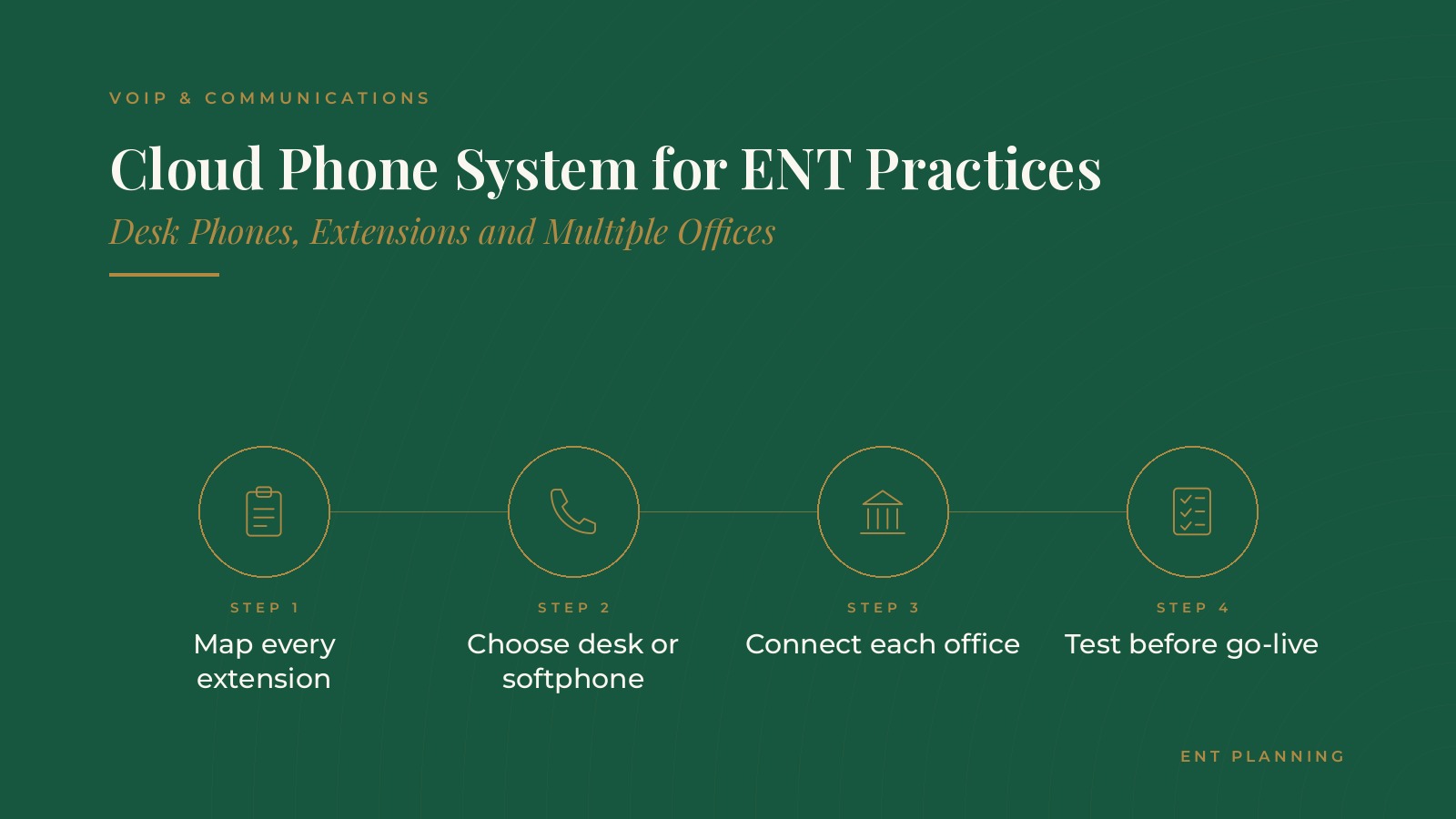
A cloud phone system for ENT practices is a hosted phone service that runs over the internet instead of on a phone system box in the office. It connects desk phones, softphones on computers and mobile apps across every location, with call menus, extensions and voicemail managed through an online portal. In short, a cloud phone system for ENT practices works best when the practice maps every extension and call path first, chooses desk phones or softphones for each role, connects all offices into one system and tests everything before go-live. A named owner keeps the details current after launch. This resource from ENT Planning explains how hosted phone systems work, how extensions are organized across offices, how practices choose devices, how a rollout is staged and the questions practices bring to a communications professional.
Key takeaways
- Map every extension before setup begins.
- Choose desk phones or softphones by role.
- Connect all offices into one phone system.
- Test every call path before go-live.
- Name an owner for ongoing changes.
How a cloud phone system works
Calls over the internet
A hosted phone system sends calls over the practice's internet connection to the provider's servers, which route them to the right phone. There is no large phone system box in a closet to maintain.
An online portal
Extensions, call menus, ring groups and voicemail settings are managed through an online portal. Changes, such as adding a new staff member, can often be made in minutes.
Phones anywhere
Because the system lives online, a desk phone in one office, a softphone on a laptop and a mobile app can all act as extensions of the same system.
What changes for staff
For most staff, the daily routine looks similar: answering, transferring and checking voicemail. The main differences are new handsets or headsets, a new extension list and the ability to reach colleagues in other offices with a short extension.
Desk phones, softphones and mobile apps
Desk phones
Desk phones remain common at the front desk, check-out and nursing stations, where staff handle a steady flow of calls and prefer a physical handset.
Softphones
A softphone is phone software on a computer with a headset. Schedulers, billing staff and managers who work at a computer all day often prefer them.
Mobile apps
Mobile apps let physicians and managers make and receive practice calls from a cell phone while showing the practice number, which keeps personal numbers private.
Choosing by role
Many practices list each role and decide which device fits best, rather than giving everyone the same equipment.
ENT Planning can introduce you to independent VoIP and communications professionals who work with ENT practices on hosted phone systems, extensions and multi-office call planning. To request an introduction, contact us or call or text (972) 616-4581. You can also read about cloud phone systems for ENT practices.
Extensions across multiple ENT offices
One numbering plan
A single extension plan across all offices, such as a different leading digit for each location, lets staff transfer calls between offices as easily as down the hall.
Shared ring groups
Ring groups let several phones ring at once, such as all schedulers across every office. Overflow rules can send calls to another office when one front desk is busy.
Location-specific menus
Each office can keep its own main number and greeting while sharing the same system. The guide to ENT call routing covers how call menus and queues are designed.
Planning a cloud phone system for ENT practices
Map every call path
Before setup, many practices write down every phone number, extension, menu option, ring group and voicemail box, along with where each call should go during and after hours.
Plan after-hours handling
After-hours calls often route to an answering service. The guide to ENT after-hours answering explains how practices plan that handoff.
Check the network
Hosted phones depend on the internet connection at each office. An IT professional can confirm there is enough capacity and recommend a backup connection. The guide to the ENT IT support ticket workflow covers how technical issues are reported once the system is live.
Rolling out the new phone system
Keep existing numbers
Most practices move their existing phone numbers to the new provider, so patients and referring offices keep calling the same numbers.
Stage the change
Some practices move one office at a time, starting with the smallest, so lessons from the first office improve the next.
Test before go-live
Calling every main number, menu option and extension before the switch catches routing mistakes early.
Train staff in short sessions
Short sessions on transferring calls, using ring groups and checking voicemail help staff feel ready on the first day.
Features ENT practices commonly use
Call queues and callbacks
Queues hold callers in order when all schedulers are busy, and some systems offer a callback option so callers do not have to wait on hold.
Voicemail to email
Voicemail messages can be delivered to a shared inbox, so the team can respond without dialing into a mailbox.
Texting from the practice number
Many hosted systems support text messages from the main practice number. The guide to ENT patient texting covers how practices plan reminder and question messages.
Call reports
Reports on call volume, wait times and missed calls by office help managers adjust staffing during busy hours. Reviewing the same report each month shows whether changes to menus or ring groups made a difference.
Questions to ask a communications professional
Planning questions
- How will extensions and ring groups be organized across our offices?
- Which roles should use desk phones, softphones or mobile apps?
- How will existing numbers be moved, and on what dates?
- How will after-hours calls be routed?
- What call reports will be available, and who reviews them?
Keep account access with the practice
Many practices ask that the phone system account and number records stay under the practice's own login, with the communications professional added as a user. That keeps control of the numbers with the practice.
Frequently asked questions
What is a cloud phone system for ENT practices?
It is a hosted phone service that runs over the internet, connecting desk phones, softphones and mobile apps across every office, with settings managed in an online portal.
Can a cloud phone system connect several ENT offices?
Yes. Multiple offices can share one system with a single extension plan, shared ring groups and overflow rules, while each office keeps its own main number and greeting.
What is the difference between a desk phone and a softphone?
A desk phone is a physical handset, while a softphone is phone software on a computer used with a headset. Many practices choose by role.
Do practices keep their existing phone numbers?
Most practices move their existing numbers to the new provider, so patients and referring offices keep calling the same numbers.
What should be tested before go-live?
Practices usually call every main number, menu option, extension and ring group, and confirm after-hours routing and voicemail delivery before switching over.
Request an introduction
ENT Planning can introduce you to independent VoIP and communications professionals who work with ENT practices on hosted phone systems and multi-office call planning. Learn more about cloud phone systems for ENT practices, then take the short ENT Planning Business survey and request an introduction. You can also call or text (972) 616-4581, or contact us. The form goes to [email protected].